
Free offline reader · version 2.x
Your library. Anywhere. Even offline.
Vidyabase opens complete libraries of books, lectures and letters in a single .vidya file — and lets you read, search and study them offline on your phone, tablet or computer.
Free · No account · No ads

- iPhone
- iPad
- Android
- Windows
- Mac
- Linux
Start reading in three steps
Install the app
Free on iPhone, iPad, Android, Windows, Mac and Linux.
Add a library
Paste a link, scan a QR code or open a
.vidyafile you already have.Read anywhere
Everything stays on your device — no internet needed once it is added.
Contents
Everything you need to study, nothing in the way
Now on every device
iPhone, iPad, Android phones and tablets, Windows, Mac and Linux — the same reader everywhere.
Your library, offline
Add
.vidyalibrary files once and read them anywhere, with or without a connection.Read in tabs
Keep several books — or several places in the same book — open in tabs and move between them.
Highlights, notes & collections
Mark passages in five colours, write your own notes and gather them into collections.
Search your whole library
Find any word in every book at once — with or without diacritics.
Jump to any verse
Tap through book, chapter and verse codes — “bg”, “2”, “13” — and you are there.
Copy & share with references
Quotes keep their formatting and come with the exact source.
Color themes
Five reading themes, adjustable text size and spacing, serif or sans.
Study
Make the books your own
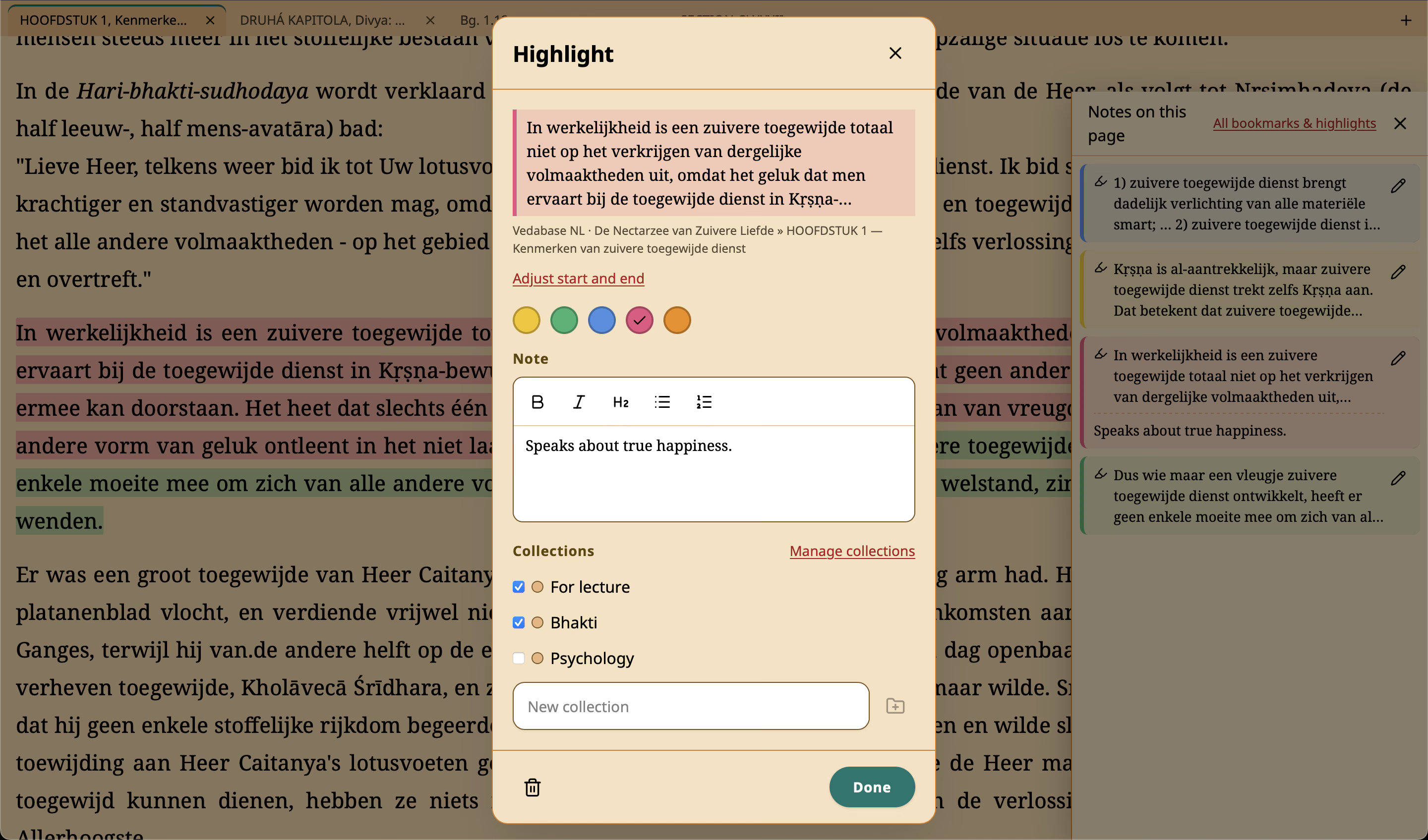
Highlight a passage in one of five colours, add a note with headings and lists, and file it in collections — for a class, a lecture or a theme you are exploring. Everything stays private on your device.
- Yellow
- Green
- Blue
- Pink
- Orange
Navigate
Quick Navigation, quick as a flash
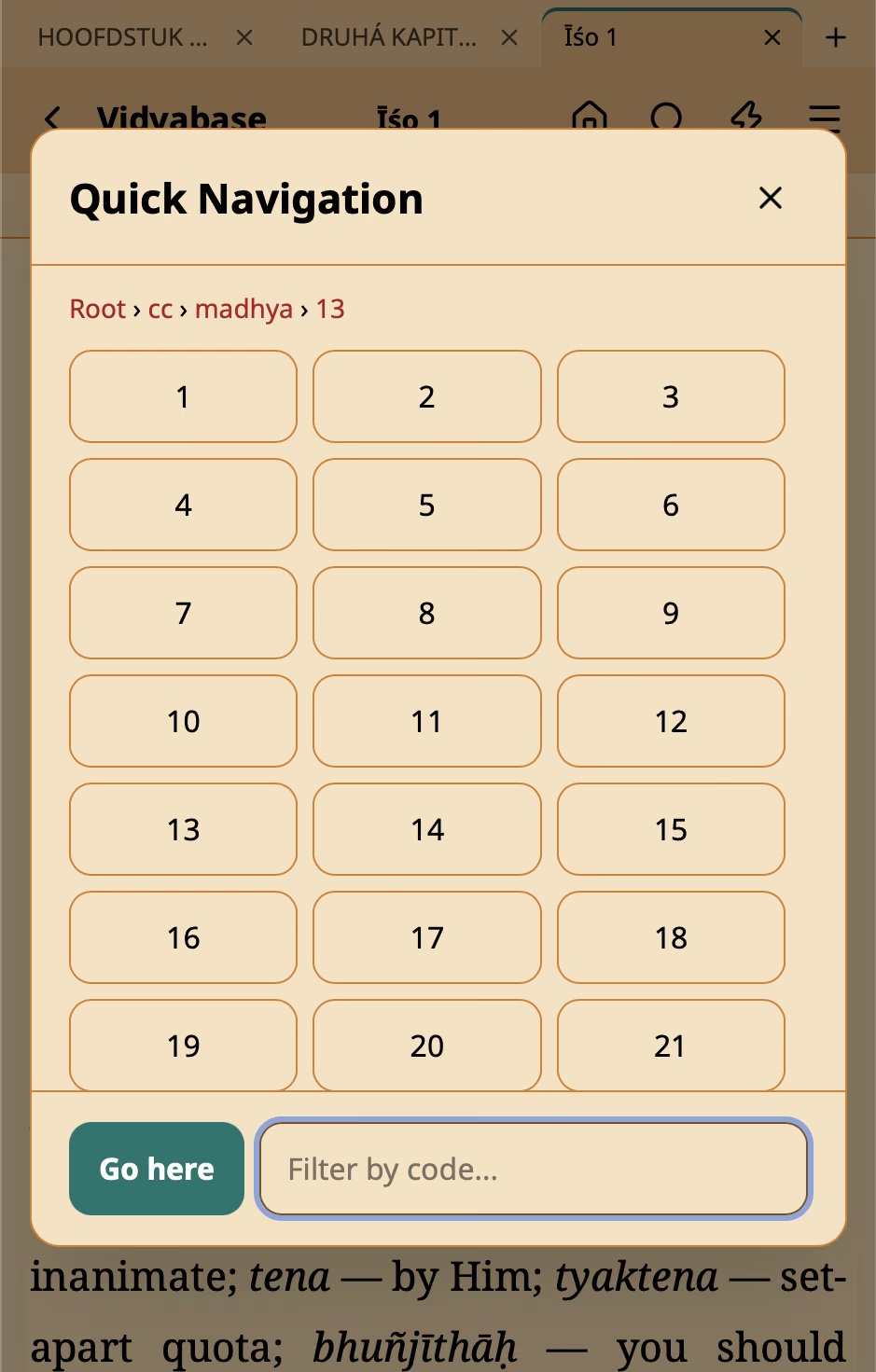
Quick Navigation shows a dial pad of book codes. Tap bg, then 2, then 13 — each tap opens the codes one level down, and you land on Bhagavad Gita 2.13.
Libraries
Pick a library. Start reading.
The app comes empty — you choose the books. Copy a link, then tap URL Import in Vidyabase and paste it.
- English: ENVedabase English83 MB
- English: ENVedabase English Original52 MB
- Nederlands: NLVedabase Nederlands8 MB
- English: ENMahābhārata by Kisari Mohan Ganguli14 MB
Download
Free on every device
No purchases needed — every feature is free for everyone.
- Your device
Android
Android 7.0 or later.
- Your device
iPhone & iPad
iOS and iPadOS 15 or later.

- Your device
Windows
Windows 10 (version 1809) or later, 64-bit.
Coming soon to the Microsoft Store - Your device
Mac
macOS 10.15 or later. Apple silicon and Intel (universal).
Mac download coming soon - Your device
Linux
x86_64 · glibc 2.35+ (Ubuntu 22.04+, Debian 12+, Fedora 36+).
Linux downloads coming soon
Free for everyone. Kept alive by supporters.
If Vidyabase helps your study, you can become a supporter in the app and help with its development and maintenance. It is entirely optional — nothing is locked.
Publish your books as a .vidya library
One file holds a complete collection — books, transcripts, letters — with its structure of verses, word-for-word, translations and purports. Open-source tools for working with packages are on GitHub.
For publishersQuestions
Is Vidyabase really free?
Yes. Every feature is free, with no ads and no account. If Vidyabase helps your study, you can optionally become a supporter in the app to help with its development and maintenance.
Where do I get books?
Vidyabase reads .vidya library files. The app comes empty, so you choose what to read: see Libraries for packages you can add with one link.
Do I need the internet?
Only to download a library. After that, reading, search, highlights and notes all work offline.
Do my notes leave my device?
No. Bookmarks, highlights, notes and collections are stored only on your device. There is no account and no cloud sync. To keep your notes safe or move them to another device, use Export and Import under Settings → Backup: export a backup file, then import it later to restore everything.
Which devices are supported?
iPhone and iPad, Android phones and tablets, Windows, Mac and Linux. See Download.